
Whether you are writing an essay, filling out a job application, drafting a social media post, or writing a meta description, knowing your word and character count matters. Many platforms and applications have strict limits on how much text you can enter, and manually counting is a waste of time.
Our free Word Counter instantly checks your words, characters, sentences, paragraphs, reading time, and more. It also includes word goals, social media character limits, and keyword density, making it useful for students, writers, bloggers, and content creators.
What Is a Word Counter?
A word counter is an online tool that analyzes your text and tells you how many words it contains. Depending on the tool, it can also show:
- Total words and characters
- Characters without spaces
- Number of sentences and paragraphs
- Average word length and sentence length
- Estimated reading time and speaking time
This lets you instantly check whether your text meets a specific requirement without counting anything manually.
Why Does Word Count Matter?
Word count comes up in more situations than you might think. Students need to hit essay word limits. Bloggers track article length. Job applicants have limited space for application answers. Social media platforms have character limits that vary by platform.
If an assignment requires 500 words, you can paste your writing into the word counter and immediately see whether you have reached the target. The same applies when a platform gives you a character limit rather than a word limit.
How to Count Words Online
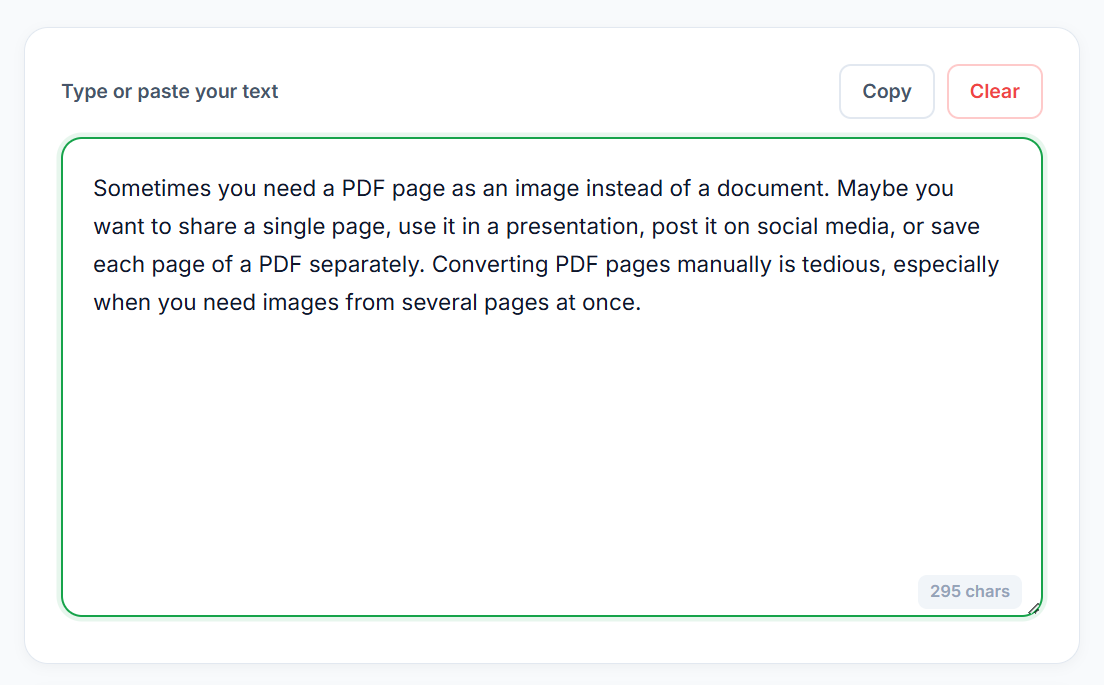
Step 1: Enter or Paste Your Text
Go to our Word Counter and type your text or paste existing content into the text box. The tool analyzes your text automatically as you type or paste.
Step 2: Check Your Word and Character Count
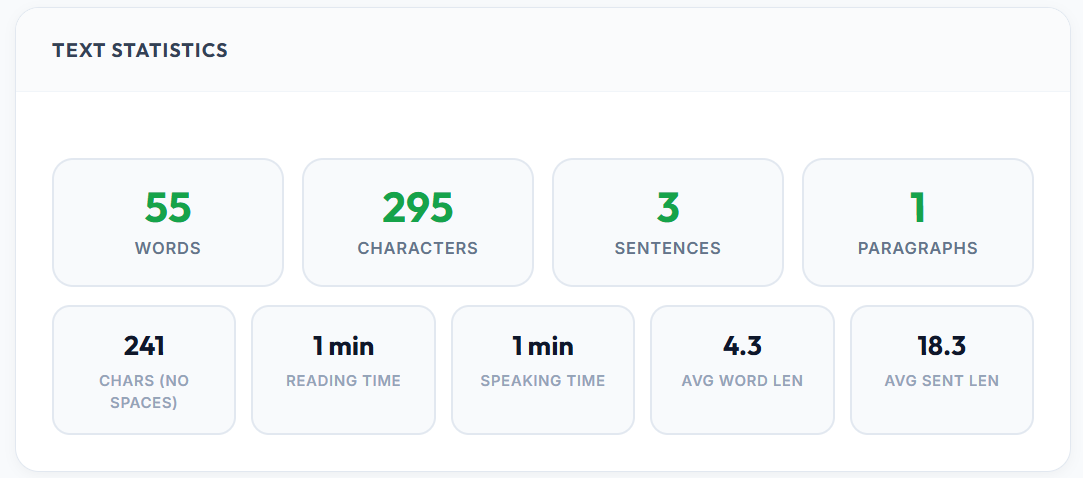
Once your text is entered, check the Text Statistics section. You can see your total words, characters, sentences, paragraphs, and characters without spaces all at once.
Step 3: Check Reading and Speaking Time
The statistics also include estimated reading time and speaking time. This is useful when preparing speeches, presentations, scripts, or any content where timing matters.
📝 Need to count your words instantly? Use our free Word Counter, paste your text and get all the stats in seconds. No signup needed.
What is the Difference Between Word Count and Character Count?
Word count tells you how many individual words are in your text. Character count measures every letter, number, punctuation mark, and space in the text.
Some platforms give you a character limit rather than a word limit. For example, a form might allow a maximum of 160 characters rather than 160 words. That is why checking both numbers is useful when preparing text for applications, websites, or social media.
How to Count Characters Without Spaces
Sometimes you need the character count excluding spaces. Our Word Counter provides a separate Chars (No Spaces) statistic so you do not have to manually remove spaces and recount.
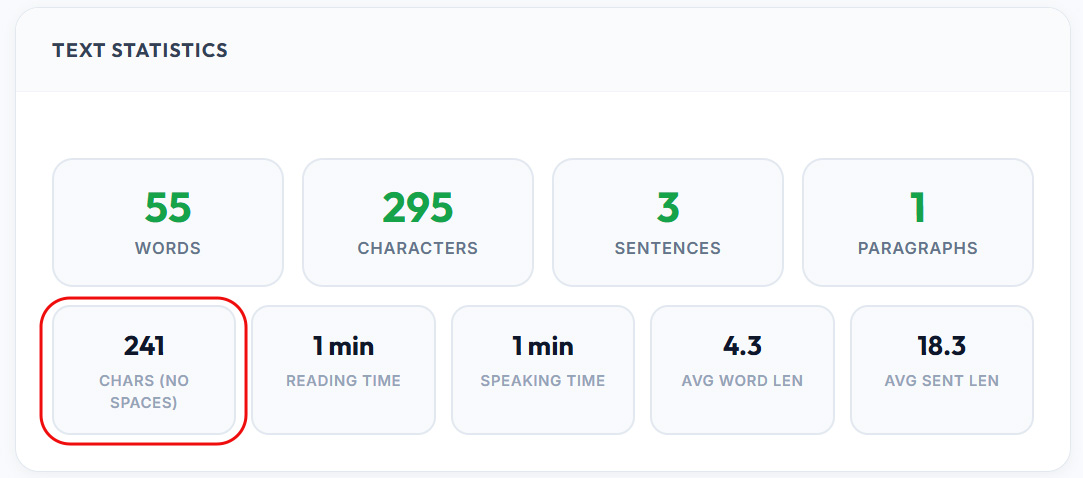
This is useful when a form specifies a character limit that excludes spaces.
Set a Word or Character Goal
If you are trying to reach a specific word or character count, use the Word / Char Goal feature. Turn it on, choose whether to track words or characters, and enter your target number.
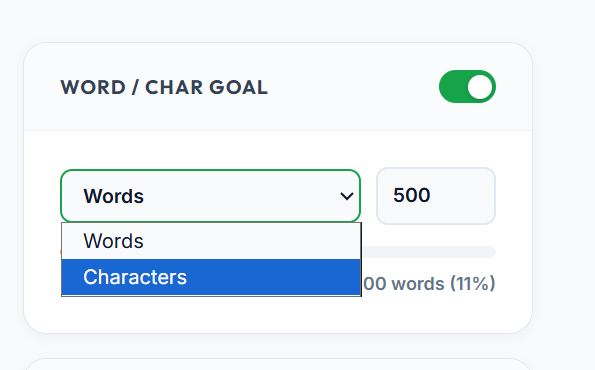
Instead of repeatedly checking whether you have hit your target, the goal feature tracks your progress as you write. Useful for essays, articles, assignments, application responses, and blog posts.
Check Social Media Character Limits
Different platforms have different text limits and checking them manually is inconvenient. The Word Counter includes a Social Media Limits section that shows how your text compares with common platform limits including:
- X (Twitter)
- Meta Description
- Instagram Caption
- LinkedIn Post
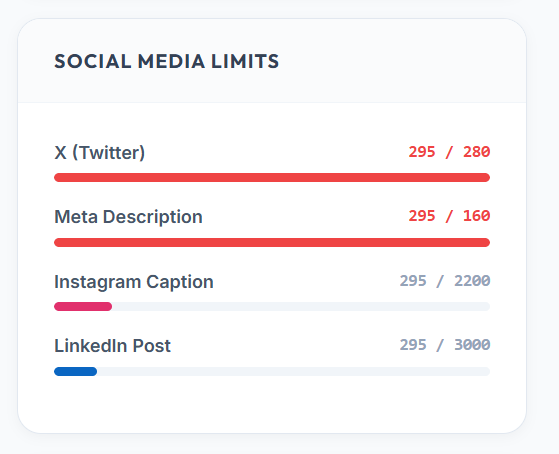
If your text is too long for a particular platform, edit it and the counter updates instantly. This is much faster than manually counting characters for each platform separately.
Check Keyword Density
If you are writing an article or blog post, the Keyword Density section shows which words appear most often in your text while excluding common stop words like "the" and "and".
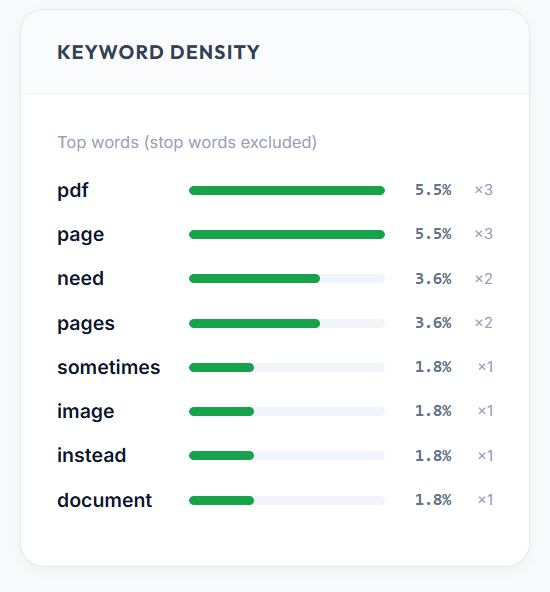
This gives you a quick overview of the vocabulary used in your writing and helps you spot words that appear too frequently or not enough.
How to Use the Word Counter for an Essay
If your assignment has a specific word requirement:
- Write your essay normally
- Copy the completed text
- Paste it into the Word Counter
- Check the total word count
- Add or remove content until you reach the required length
You can also turn on the Word Goal feature before you start writing and track your progress toward the target as you go.
How to Use It for Social Media
Paste your social media post into the Word Counter and check the Social Media Limits section. If your text exceeds a platform limit, edit it and the counter updates in real time. Much faster than manually counting characters for every post you write.
Frequently Asked Questions
How do I count words in a paragraph? Copy your paragraph and paste it into our Word Counter. The tool automatically calculates the word count instantly.
What is the difference between characters and characters without spaces? Character count includes spaces. Chars (No Spaces) provides a separate count that excludes spaces, which is useful when a platform specifies a limit that does not include spaces.
Can I check my reading time online? Yes. The Word Counter provides an estimated reading time based on the text you enter.
Can I check speaking time? Yes. The tool also estimates speaking time, useful for speeches, presentations, and scripts.
Can I set a word target? Yes. Turn on the Word / Char Goal option, set your target, and track your progress as you write.
Can I check social media character limits? Yes. The Social Media Limits section shows counters for X, Meta descriptions, Instagram captions, and LinkedIn posts.
Does the tool show frequently used words? Yes. The Keyword Density section shows the most frequently used words in your text and how often each one appears.
Quick Recap
Paste your text into our Word Counter and instantly get your word count, character count, sentences, paragraphs, reading time, speaking time, and keyword density. Set a word or character goal to track your progress, and check social media limits to make sure your post fits before you publish.